

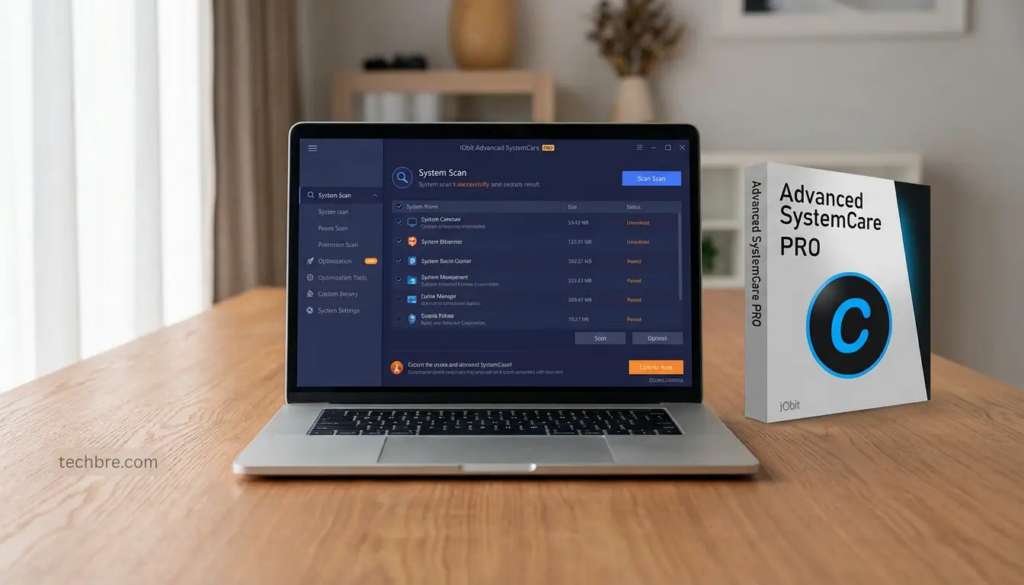
Keeping your computer fast, clean, and secure is no longer optional—it’s essential. Over time, even the most powerful systems slow down due to junk files, unnecessary programs, and hidden background processes. That’s where tools like Advanced SystemCare and IObit Uninstaller come into play.
Developed by IObit, these two tools work together to improve system performance, enhance security, and ensure a smooth user experience. In this review, we’ll explore their features, benefits, and why they are considered among the best solutions for PC optimization.
Why You Need PC Optimization Tools
Every Windows system accumulates clutter over time. Temporary files, leftover registry entries, and unused applications all contribute to reduced performance. Without proper maintenance, users often face:
-
Slow startup times
-
Lagging applications
-
Reduced storage space
-
Security vulnerabilities
Using a reliable PC cleaner helps remove these unnecessary files and optimize system resources. At the same time, a powerful uninstall tool ensures that unwanted programs are completely removed without leaving behind residual data.
Overview of Advanced SystemCare
Advanced SystemCare is an all-in-one system optimization tool designed to clean, speed up, and protect your PC. It is widely recognized for its user-friendly interface and powerful performance-enhancing features.
Key Features of Advanced SystemCare
1. Deep System Cleaning
Advanced SystemCare works as a comprehensive PC cleaner, scanning your system for junk files, temporary data, logs, and cache files. It removes these safely, freeing up valuable disk space.
2. AI Mode Optimization
One of its standout features is AI Mode, which automatically analyzes your system and applies optimization based on your usage habits. This makes it ideal for both beginners and advanced users.
3. Privacy Protection
The software helps protect sensitive data by clearing browsing traces and blocking unauthorized access attempts.
4. Startup Optimization
It reduces boot time by disabling unnecessary startup programs, ensuring your system starts faster.
5. Real-Time Performance Monitoring
Advanced SystemCare includes a performance monitor that shows CPU, RAM, and disk usage in real time, helping users identify resource-heavy processes.
Benefits of Using Advanced SystemCare
-
Improves overall system speed
-
Enhances system stability
-
Protects user privacy
-
Simplifies PC maintenance
Whether you’re a casual user or a professional, Advanced SystemCare provides a simple yet powerful way to keep your system running efficiently.
Overview of IObit Uninstaller
While cleaning your PC is important, removing unwanted programs completely is equally critical. This is where IObit Uninstaller excels.
Unlike the default Windows uninstaller, which often leaves behind residual files, IObit Uninstaller acts as a powerful uninstall tool that ensures complete removal of applications.
Key Features of IObit Uninstaller
1. Complete Program Removal
IObit Uninstaller scans for leftover files and registry entries after uninstalling a program, ensuring nothing is left behind.
2. Forced Uninstall
Stubborn or corrupted programs can be removed easily using the Forced Uninstall feature.
3. Batch Uninstall
Users can remove multiple applications at once, saving time and effort.
4. Browser Extension Removal
The tool also helps manage and remove unwanted browser plugins that may affect browsing performance.
5. Software Health Monitoring
It identifies rarely used or problematic software and suggests removal to improve system performance.
Benefits of Using IObit Uninstaller
-
Frees up disk space
-
Prevents system clutter
-
Improves performance
-
Removes stubborn programs completely
This makes it an essential companion tool for anyone looking to maintain a clean and efficient system.
How Both Tools Work Together
Advanced SystemCare and IObit Uninstaller complement each other perfectly.
-
Advanced SystemCare focuses on cleaning and optimizing your system
-
IObit Uninstaller ensures unwanted programs are completely removed
Together, they provide a complete PC maintenance solution.
For example, after removing a large application using the uninstall tool, Advanced SystemCare can clean up leftover junk files and optimize system performance. This combination ensures maximum efficiency.
User Experience and Interface
Both tools are designed with simplicity in mind.
-
Advanced SystemCare offers a clean dashboard with one-click optimization
-
IObit Uninstaller provides an organized list of installed programs with easy removal options
Even users with minimal technical knowledge can use these tools without difficulty.
Performance Impact
After using these tools, users typically notice:
-
Faster boot times
-
Improved application responsiveness
-
Reduced system lag
-
More available storage space
The combination of a powerful PC cleaner and an efficient uninstall tool ensures long-term system health.
Safety and Reliability
Both Advanced SystemCare and IObit Uninstaller are safe to use and regularly updated to support the latest Windows versions.
They include features that prevent accidental deletion of important files and ensure system stability during optimization and uninstallation processes.
Who Should Use These Tools?
These tools are ideal for:
-
Users with slow or lagging PCs
-
Gamers looking for better performance
-
Professionals who rely on system efficiency
-
Anyone wanting a cleaner, faster computer
Whether you’re maintaining an old PC or optimizing a new one, these tools provide significant value.
Final Verdict
Advanced SystemCare and IObit Uninstaller are powerful tools that address two critical aspects of PC maintenance: cleaning and software removal.
If you’re looking for a reliable PC cleaner, Advanced SystemCare is an excellent choice. On the other hand, if you need a dependable uninstall tool to remove unwanted programs completely, IObit Uninstaller is one of the best options available.
When used together, they create a complete system optimization solution that improves performance, enhances security, and extends the life of your PC.