

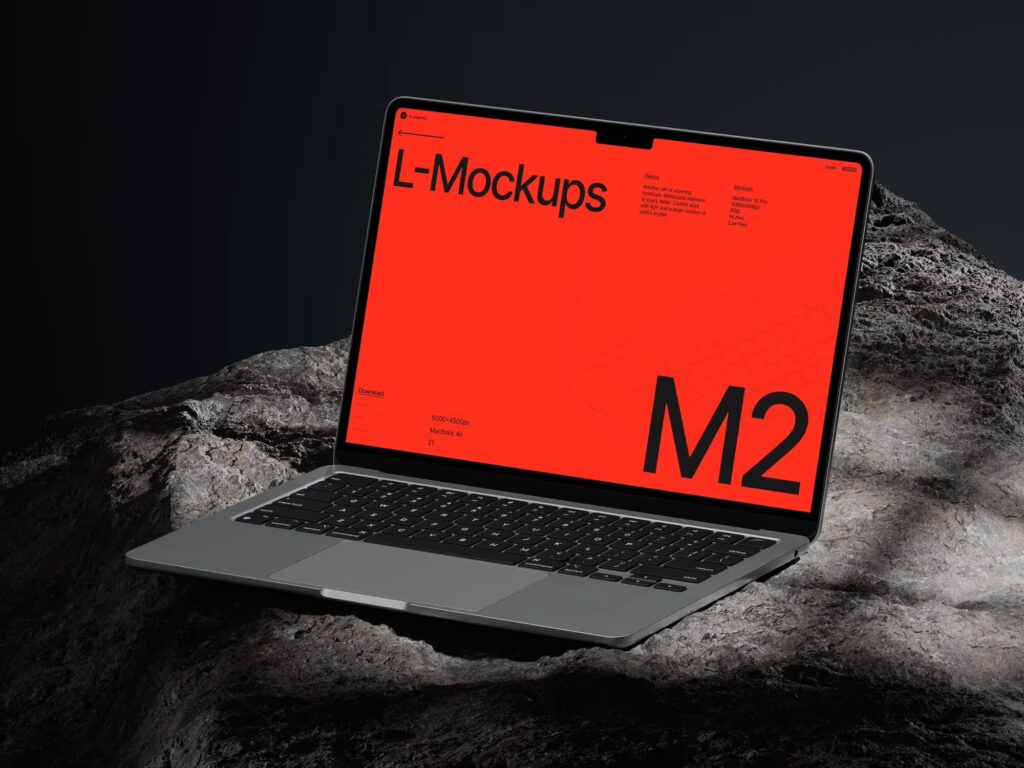
The design world moves fast, and the tools we use to present our work need to keep pace. MacBook mockups have quietly become one of the most important assets in a digital designer’s toolkit — not just for aesthetics, but for storytelling. In 2026, the way we use these mockups is evolving in ways that reflect broader shifts in how brands communicate, how products are launched, and how audiences engage with visual content.
Why MacBook Mockups Still Matter
There’s something about a well-placed screen on a MacBook that instantly elevates a design. It adds context. It grounds the work in the real world. A flat UI export floating on a white background tells the viewer almost nothing about experience — but show that same interface on a laptop sitting on a marble desk with soft morning light? Now you’re selling a feeling.
This psychological effect hasn’t faded. If anything, it’s grown stronger as audiences become more visually sophisticated. A MacBook mockup that feels authentic can be the difference between a pitch deck that wins a client and one that gets archived.
Key Trends Shaping 2026
1. Contextual Realism Over Studio Sterility
The era of floating laptops on pure white backgrounds is giving way to environment-driven compositions. Designers in 2026 are placing MacBooks in believable, lived-in spaces — coffee shops, co-working desks, outdoor terraces. The mockup becomes part of a narrative, not just a frame.
2. Motion and Video Mockups
Static images are no longer the default. Animated mockups with subtle screen flicker, keyboard reflection, or parallax depth are becoming standard in landing pages and pitch presentations. Tools now support video loops that make a product demo feel genuinely immersive.
3. Dark Mode and Material Variety
With macOS continuing to push refined dark themes, mockup libraries are responding with richer dark-surface options — Space Black finishes, matte textures, and moody lighting setups that pair perfectly with app interfaces designed for low-light environments.
4. Multi-device Storytelling
No product exists in isolation. Designers are increasingly composing scenes where a MacBook appears alongside an iPhone, iPad, or Apple Watch — creating a unified product ecosystem narrative in a single frame.
Real-World Applications: How Teams Are Using MacBook Mockups
These trends aren’t abstract — they’re already showing up in real creative work across industries.
Contextual realism found its most compelling home in travel and lifestyle branding. Remote work platforms like Notion and Linear have used environment-driven MacBook scenes in their marketing — laptops on wooden café tables, open windows behind them, warm afternoon light — to reinforce the idea that their tools belong in real human workflows, not sterile lab conditions.
Motion mockups became a staple for SaaS onboarding. Companies like Framer and Webflow embed looping video mockups directly into hero sections, showing the product in action inside a MacBook screen. The subtle animation — a cursor moving, a panel sliding open — communicates interactivity faster than any headline copy could.
Dark mode scenes gained serious traction among developer tools and fintech brands. Products targeting technical audiences — code editors, analytics dashboards, crypto platforms — increasingly present their interfaces inside Space Black MacBook mockups with moody, low-contrast backgrounds. It signals sophistication and aligns visually with the product’s actual user environment.
Multi-device storytelling became essential for cross-platform product launches. When Arc Browser expanded beyond desktop, their visual materials showed the Mac app alongside the iPhone version in a single composed scene — one cohesive visual that communicated “this lives everywhere you do” without a single word of explanation.
- Design agencies routinely build these multi-device compositions for client pitch decks, combining MacBook hero shots with tablet and phone mockups to show responsive design across the full ecosystem
- Indie developers launching on Product Hunt use the same approach to stand out in a feed where single-screen screenshots feel flat by comparison
MacBook Mockups on ls.graphics
When it comes to quality and variety, ls.graphics stands out as one of the most reliable sources for MacBook mockups. Their collection features ultra-realistic rendering with meticulously organized layers, giving designers full control over every element. Scenes come in multiple angles and color styles — from warm natural light to minimalist studio setups. The stylish, clean compositions work equally well for portfolios and client presentations. The Edit Online feature lets you drop in your design without opening Photoshop, which is a genuine time-saver. And for designers exploring the catalog before committing, there’s a generous selection of free scenes available to try out.
Conclusion
MacBook mockups in 2026 are more than decorative containers for screenshots — they’re strategic communication tools. The trends point toward realism, motion, context, and ecosystem thinking. Whether you’re launching a product, presenting to a client, or building a design portfolio, the right mockup does work that words alone can’t.
For designers who care about quality and versatility, ls.graphics remains a go-to resource — offering the depth and flexibility that modern creative work demands.