
A practical look at compatibility, display, DVR, battery life, comfort, antennas, and first-flight setup
Why Entry-Level Goggles Deserve Careful Selection
A first set of goggles shapes how quickly a new pilot becomes comfortable with FPV. The image does not need to be cinematic, but it must be readable, stable, and easy to configure. Complicated controls or unclear compatibility can turn a simple practice session into troubleshooting. For analog tiny whoops and everyday training, a well-designed box goggle can provide an accessible starting point.
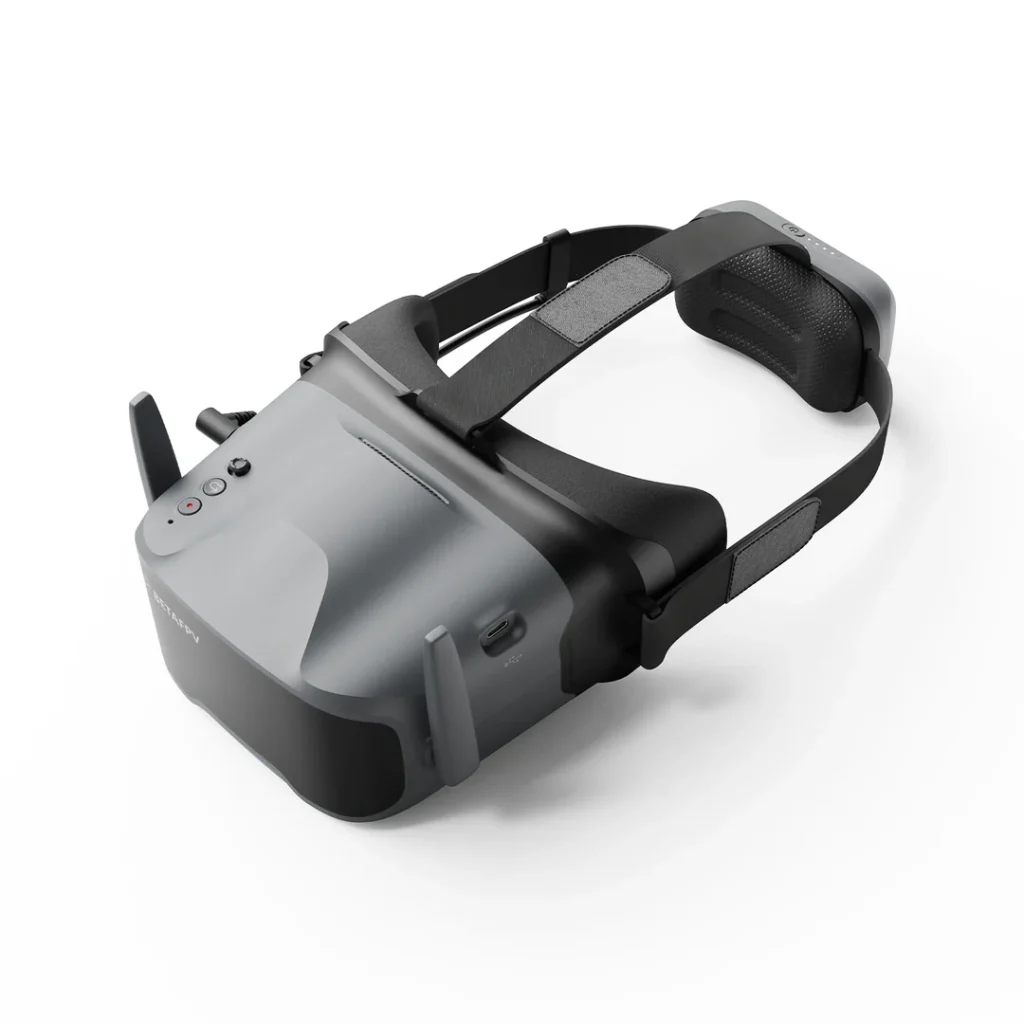
The betafpv VR04 is positioned as a 5.8 GHz analog goggle with 48-channel reception, automatic frequency scanning, a built-in DVR, and a 4.3-inch display. Those features address common beginner needs, but pilots should still understand what they do and what they do not provide.
Confirm Analog Compatibility
The VR04 receives standard 5.8 GHz analog video in NTSC or PAL format. It is not a native digital headset for DJI, Walksnail, or HDZero air units. A drone must carry a compatible analog camera and video transmitter operating on a supported band and channel. Radio-control protocol is separate; the goggles do not need to match an ELRS or other receiver.
Before a flight, identify the VTX channel rather than relying on auto scan every time. Scanning can find a nearby signal, but in a multi-pilot environment it may stop on the wrong channel or a harmonically related signal. Manually selecting the coordinated frequency helps avoid interference.
Display and Viewing Experience
The product page lists a 4.3-inch screen with 800 by 480 resolution. That is appropriate for viewing an analog feed, whose practical detail is limited by the transmission system. The large single-screen box format can be easy for beginners to understand and may feel less optically demanding than compact binocular goggles.
Fit remains personal. The VR04 is described as glasses-friendly and uses face padding plus a nose bridge to reduce stray light. Adjust the head strap so the weight is supported without excessive pressure. A clear image should be visible without forcing the goggle against the face; discomfort becomes distracting when learning precise throttle control.
Use the DVR as a Learning Tool
The built-in recorder saves the received video to a microSD card. According to the listing, it supports FAT32 media up to 64 GB and records at 480p and 30 frames per second. This footage is not a replacement for an onboard action camera, but it is valuable because it shows the signal and decisions the pilot experienced.
Review recordings after practice. Look for altitude consistency, turn timing, throttle corrections, and moments when the aircraft disappears behind obstacles. DVR video can also help locate a downed quad by showing the last visible landmark. Test the card and recording indicator before relying on it, and stop recording properly to reduce the risk of a corrupted file.
Plan Power for the Session
The listed internal battery is 3.7 V and 2000 mAh, with about two hours of normal use and roughly one hour while recording. Actual runtime varies with battery age, temperature, screen settings, and recording. Charge through the specified USB-C port and avoid storing the goggles for long periods with a deeply discharged battery.
The product information also describes support for external 2S to 6S power. Confirm the correct input connector and manufacturer instructions before attaching any pack. Secure external cables so they cannot pull on the headset or unplug during flight. For a short indoor session, the internal battery may be simpler.
Antenna and Reception Basics
The VR04 uses an RP-SMA antenna port. Connector gender and polarization matter when selecting a replacement antenna; SMA and RP-SMA parts may look similar but do not mate correctly. The aircraft and goggles should normally use matching circular polarization. An omnidirectional antenna suits flying around the pilot, while a directional antenna favors a defined area in front.
Reception improves when there is a clear path between aircraft and pilot. Reinforced walls, vehicles, trees, and the pilot’s own body can attenuate 5.8 GHz video. The store MEPSKING lists the headset alongside related FPV components, but antenna changes and external power arrangements should always follow the device documentation.
Who Should Consider a Different Goggle
Pilots committed to a digital video ecosystem should choose native compatible goggles instead of expecting an analog headset to display that signal. Competitive analog racers may prefer a receiver or form factor optimized for their specific latency, antenna, and fit requirements. Pilots needing high-quality spectator output or extensive input options should compare those features directly.
A beginner who primarily flies analog tiny whoops, practices indoors, and values a large integrated screen may find the VR04 format sensible. The key is to match expectations: its DVR records the received analog view, its display is designed for practical flying, and its channel system depends on disciplined frequency selection. Buying for the actual aircraft prevents disappointment.
First-Flight Setup Checklist
Charge the goggles, install and format the microSD card if recording, attach the antenna, and power the aircraft with propellers removed. Select the known VTX channel and confirm a stable picture. Check whether the camera uses NTSC or PAL correctly, start a short test recording, and play it back before going outside.
At the field, coordinate channels with other pilots and begin close to yourself in an open area. Learn how the analog picture changes near obstacles and at the edge of usable reception. The VR04’s value is not only its feature list; it is the straightforward practice loop it can support when compatibility, channel selection, power, fit, and recording are set up carefully.